
Elegant Teleprompter Pro
Ayman ElakwahTools
4.7220.00 Reviews
- Version
- Varies With Device
- Installs
- 50.00K
- Age Rating
- Everyone
Screenshots
Our Review of Elegant Teleprompter Pro
 Analysis by Appyee
Have you ever found yourself stumbling over your words during a presentation, or perhaps you just want to nail that perfect TikTok video? Enter Elegant Teleprompter Pro, a nifty little app that promises to be your digital cue card. I decided to give it a test run to see if it lives up to the hype, and here’s what I found.
First Impressions
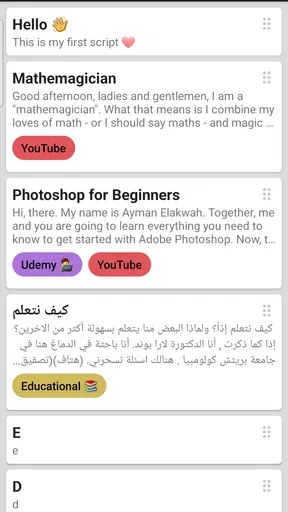
When I first opened Elegant Teleprompter Pro, I was greeted with a clean, intuitive interface. Right off the bat, it felt user-friendly, which is a huge plus if you’re not keen on spending hours figuring out an app. The setup was as easy as pie—within minutes, I was ready to roll with my first script.
Features That Stand Out
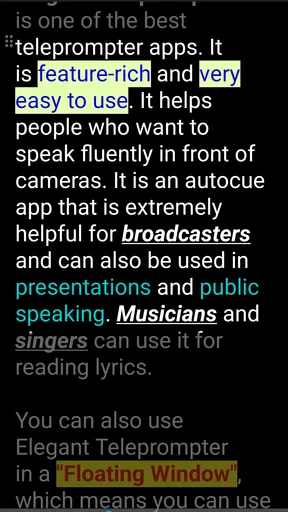
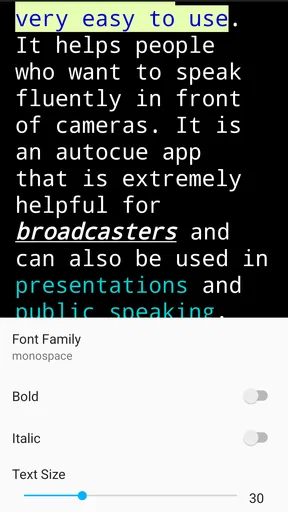
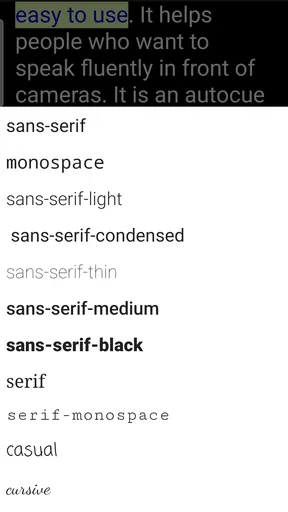
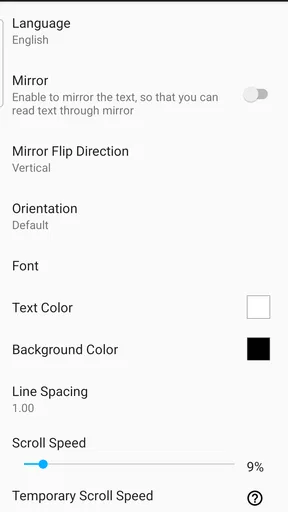
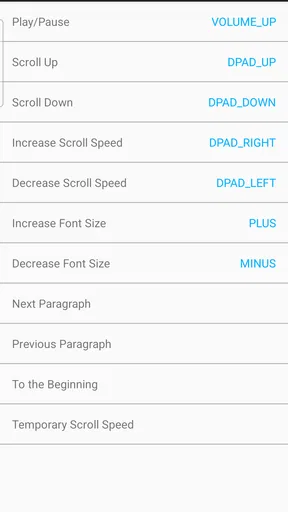
The app boasts a variety of features, but a few really stood out to me. You can adjust text size and scrolling speed, which is super helpful. I found the ability to mirror text handy, especially if you’re using a physical teleprompter setup. The app integrates seamlessly with external Bluetooth controllers, which means you can control the script’s flow hands-free.
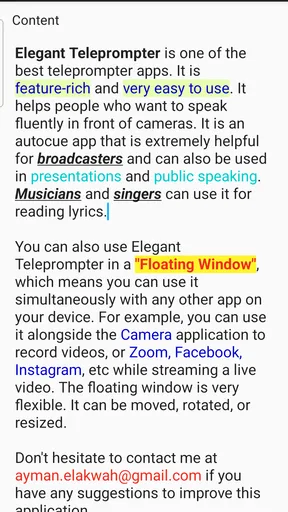
One feature that I particularly appreciated was the ability to import scripts from different sources. Whether it’s Google Drive, Dropbox, or just plain text files, the app makes it easy to get your content in and ready for practice or presentation.
Using the App in Real Life
So, I put the app to the test in a few different scenarios. First up was a mock presentation. The app worked flawlessly—no lagging, no weird glitches. I could focus entirely on my speech without worrying about losing my place.
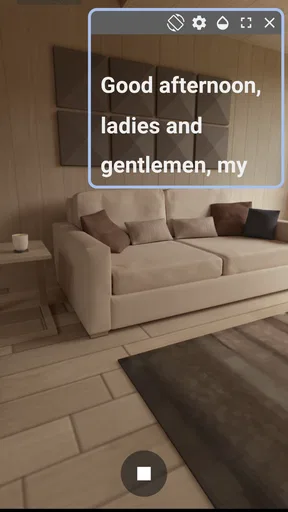
Next, I tried it for a quick vlog. The app’s floating widget feature was a lifesaver here. It allowed me to have the script on screen while recording with my camera app, making it feel like I had my own little assistant right there with me.
Potential Areas for Improvement
While Elegant Teleprompter Pro has a lot going for it, there are a couple of areas where it could improve. The voice recognition feature is decent but not flawless. It occasionally misinterpreted my words, which could be frustrating mid-presentation. Also, some users might find the lack of cloud synchronization a bummer, especially if you’re working across multiple devices.
Final Thoughts
Overall, Elegant Teleprompter Pro is a solid choice for anyone in need of a reliable teleprompter app. It’s straightforward, effective, and offers enough customization to suit most needs. Whether you’re a professional speaker or just someone who wants to up their content creation game, this app is worth a try.
And hey, if you’ve been on the fence about using a teleprompter app, this might just be the nudge you need to give it a go. Happy presenting!
Verdict
Strengths of Elegant Teleprompter Pro
- User-friendly interface enhances usability.
- Customizable text size for better readability.
- Supports multiple scripts for versatility.
- Mirror mode for teleprompter setups.
- Smooth scrolling for professional delivery.
Limitations of Elegant Teleprompter Pro
- Limited free features without upgrade.
- No cloud sync for scripts across devices.
- Occasional lag on older devices.
- Ads in free version can be intrusive.
- Lacks video recording integration.
Similar Picks in This Category
View All
Google LLC4.0

Gboard - the Google Keyboard
Google LLC4.5

Google Play services
Google LLC4.3

Google Play Store
Google LLC4.9

Files by Google
Google LLC4.5

SHAREit: Transfer, Share Files
Smart Media4U Technology Pte.Ltd.4.3
Frequently Asked Questions
What features does Elegant Teleprompter Pro offer?
Elegant Teleprompter Pro provides a range of features designed to enhance your video presentations. It allows you to import scripts from various formats, adjust text size and speed, and mirror text for use with different setups. The app also supports Bluetooth remote control, making it ideal for solo use or professional setups.
Is Elegant Teleprompter Pro easy to use for beginners?
Yes, Elegant Teleprompter Pro is designed with user-friendliness in mind, making it accessible for beginners. The intuitive interface allows users to quickly import scripts, adjust settings, and start using the teleprompter with minimal setup. Helpful tutorials and guides are also available within the app to assist new users.
Can I use Elegant Teleprompter Pro with external devices?
Absolutely. Elegant Teleprompter Pro supports integration with external devices such as Bluetooth remotes, making it convenient for controlling the teleprompter from a distance. This feature is particularly useful for professional settings where a hands-free operation is preferable, enhancing the overall efficiency of video production.
Does Elegant Teleprompter Pro support multiple languages?
Yes, Elegant Teleprompter Pro supports multiple languages, catering to a global audience. Users can input scripts in various languages, and the app will display them accurately. This flexibility makes it a versatile tool for international users who need to present in different languages.
What are the compatibility requirements for Elegant Teleprompter Pro?
Elegant Teleprompter Pro is compatible with both Android and iOS devices. It requires a relatively recent operating system version to run smoothly, ensuring optimal performance. Users should check the app's specifications on the download page to ensure their device meets these requirements before downloading.
